Every Moment, Visualized

Your full recordings are auto-broken into clean, digestible moments.

Gameplay folders and match recordings organized in Insights.gg VOD review software interface for efficient esports video management.
Insights Capture
Date
26 Oct 2022
Insights Capture
Total recorded
4 h 22 min
Insights Capture
Game
Valorant
Insights Capture
Followers
124 K

Highlight Mode

No filler. No downtime. Instantly jump to the hype plays.

Gameplay folders and match recordings organized in Insights.gg VOD review software interface for efficient esports video management.
Insights Capture
Date
26 Oct 2022
Insights Capture
Total recorded
4 h 22 min
Insights Capture
Game
Valorant
Insights Capture
Followers
124 K

Create Highlight Video

Build a clean mini-montage of your best matches in seconds.

Gameplay folders and match recordings organized in Insights.gg VOD review software interface for efficient esports video management.
Insights Capture
Date
26 Oct 2022
Insights Capture
Total recorded
4 h 22 min
Insights Capture
Game
Valorant
Insights Capture
Followers
124 K

Why Insights Capture is Perfect for your game

Insights Capture
FEATURE 1

Game Events

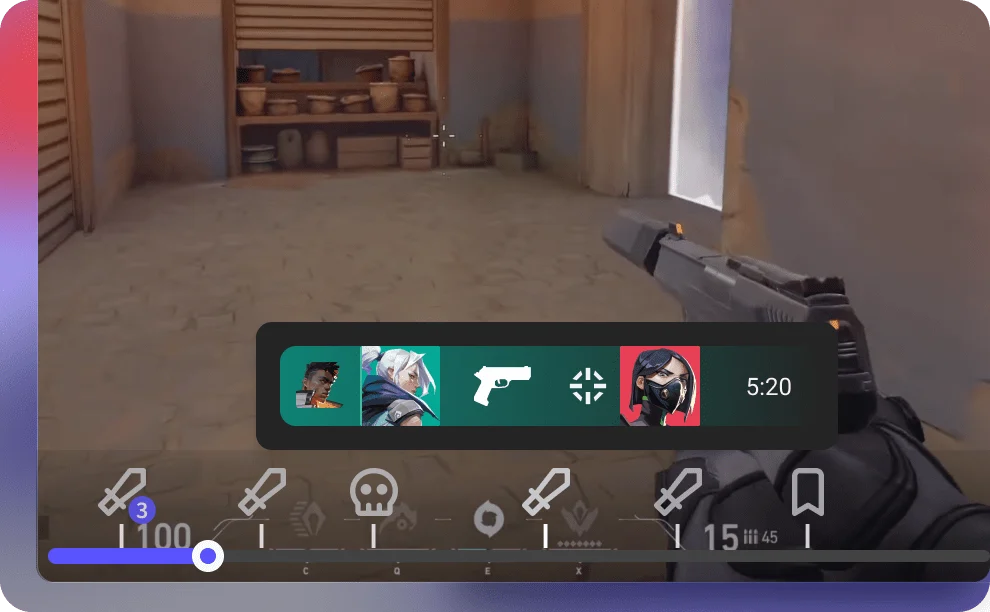
Insights Capture will mark key moments like kills, deaths, and objectives for over 45 game titles.

Insights Capture
FEATURE 2

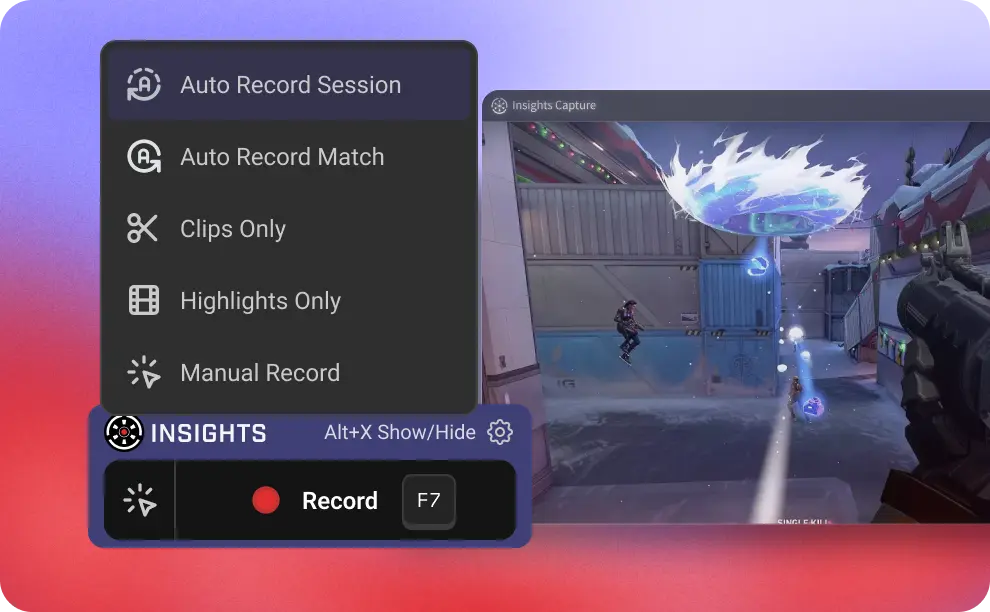
Recording Mode

Full Recording Mode to capture every second of the grind
Clip Mode when you only want to save the best moments
Highlight Mode when you prefer a mini montage of every match

Insights Capture
FEATURE 3

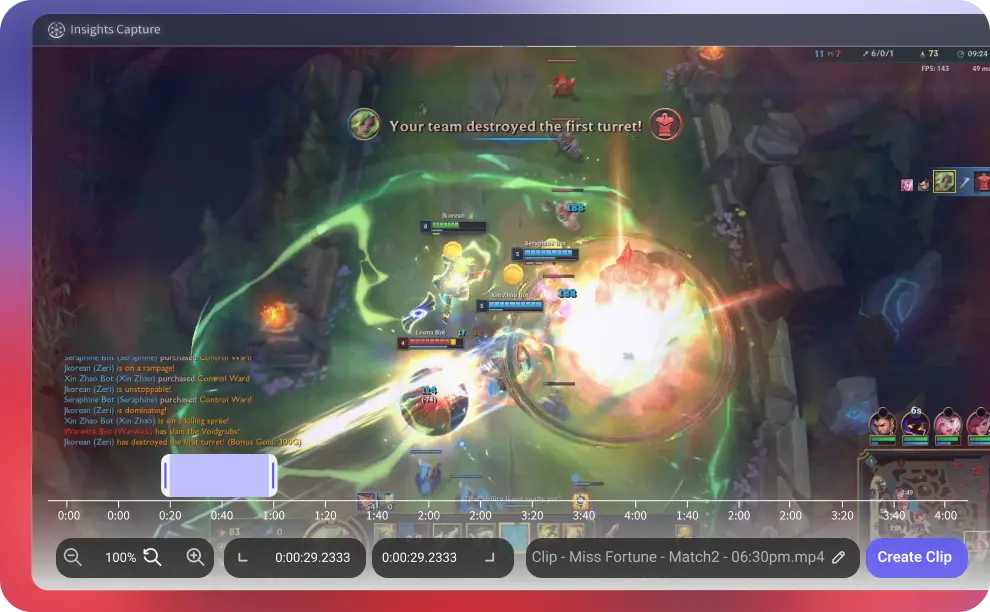
Clipping

Cut clips smoother than ever with the upgraded, precision-focused clipping UI.

Insights Capture
FEATURE 4

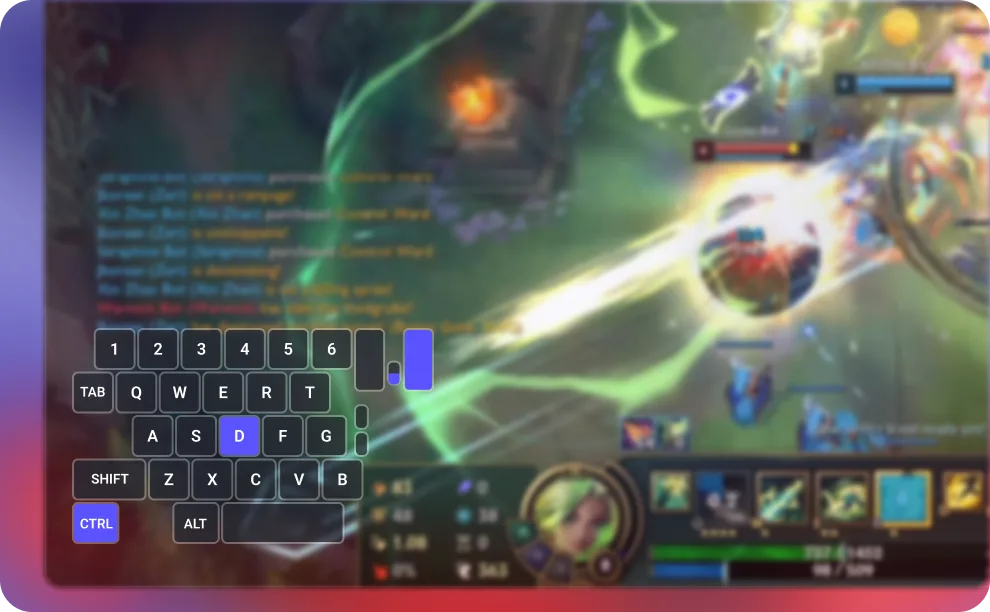
Mouse & Input Overlay

See every click, tap, and combo, perfect for analyzing your plays or showing off your mechanics.

Insights Capture
FEATURE 5

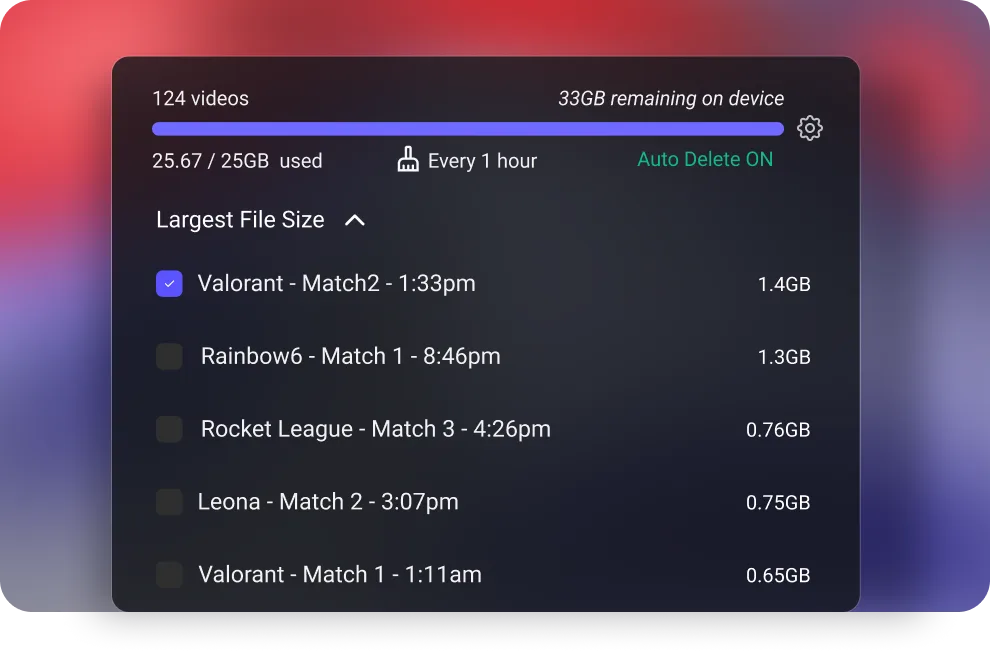
Manage Storage

Easily control how much you want to save on your hard drive.

01
03

record

game review

video library

How it simply works

Record gameplay

Automatically capture your best moments or entire matches while playing your favorite game.

Insights Capture
Date
26 Oct 2022
Insights Capture
Total recorded
4 h 22 min
Insights Capture
Game
Valorant
Insights Capture
Followers
124 K

Review & edit

Create clips based on the timestsamped Kills/deaths or funny moments.

Insights Capture
Date
26 Oct 2022
Insights Capture
Total recorded
4 h 22 min
Insights Capture
Game
Valorant
Insights Capture
Followers
124 K

Upload

Share your edited video with the world by uploading it to your preferred platform.

Insights Capture
Date
26 Oct 2022
Insights Capture
Total recorded
4 h 22 min
Insights Capture
Game
Valorant
Insights Capture
Followers
124 K

Frequently Asked Questions (FAQs) About Our Game Recording Software

Is Insights Capture a free game recorder?
Yes, you can start with the free version of our game recorder to capture highlights and clips. Upgrade anytime for advanced features.
What makes this game recording software different from a screen recorder?
Unlike generic screen recorders for gaming, Insights Capture is optimized for detecting kills, wins, and epic plays automatically, saving you time and effort.
What games does Insights Capture support?
   - Capture support for more than 10,000 PC games
   - Game event support for 45 or more games
   - Timeline support for League of Legends and Valorant
We are expanding rapidly, and new game support will continue rolling out throughout 2025.
How is Insights Capture different from OBS?
OBS is a broadcasting tool built for streaming, while Insights Capture is designed specifically for gameplay recording and analysis. Instead of dealing with complex scenes, plugins, and streaming settings, Insights makes it easy to record your gameplay and break it down using in-game events so you can quickly find the moments you want to watch. Version 3 is also optimized for lower FPS impact, making it ideal for competitive players who want smooth and consistent performance while recording.
Can I merge and edit clips inside the software?
Yes, you can trim, cut, and merge recordings directly in the game capture software, no external editor required.
What’s new in Version 3?
Version 3 is a complete rebuild that is faster, lighter, and designed for competitive gaming performance. Key upgrades include:A standalone app (no more Overwolf)
   -  A new architecture with approximately 40% less FPS impact
   - The Timeline interface for match breakdown
   - Highlight Mode with automatic montage creation
   - A redesigned clipping tool
   - Improved storage management
   - Expanded game support with more titles coming throughout 2025
How much system performance does the recording software for gaming use?
Insights Capture is lightweight and designed to run with minimal CPU/GPU load so your gameplay stays smooth.

Ready to go? Start recording today!
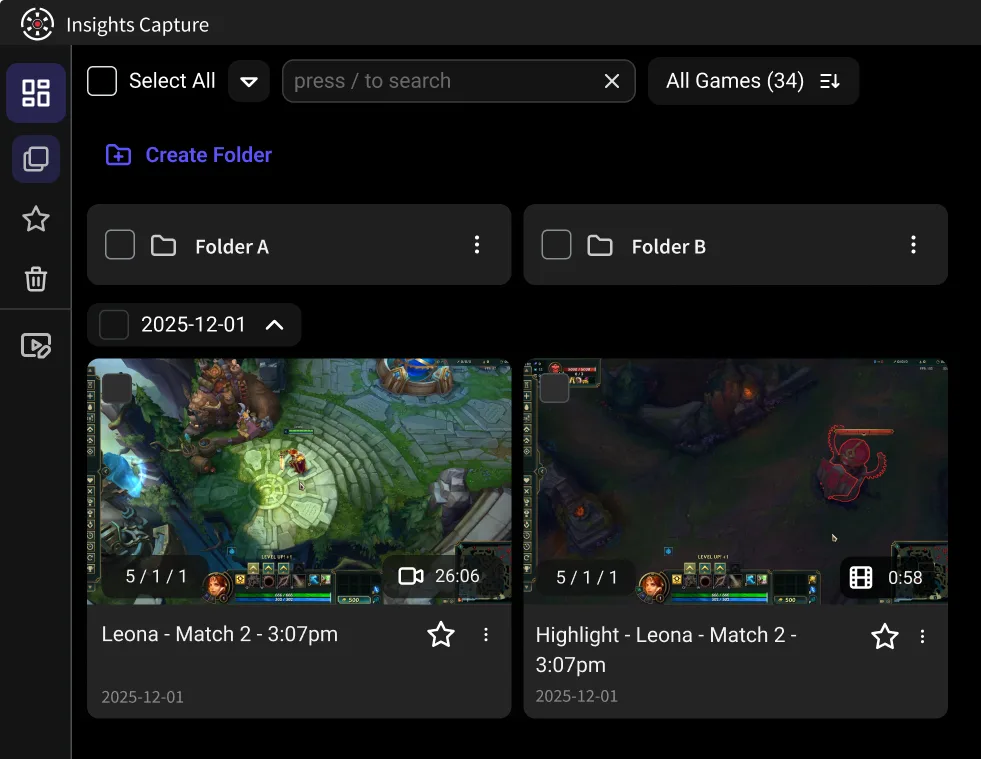
Insight Capture recordings dashboard with folders and Valorant clip cards in clipping software.