LoL Replay — How to Watch, Download & Keep League Replays

League's built-in replay system stops working every time a patch ships — old .rofl files can never be opened again. This guide covers how to download and watch LoL replays, why they break, and how to build a permanent, patch-proof archive of your best games.
League of Legends has had a built-in replay system since 2016 — and it has frustrated players for almost exactly as long. The tools are there: you can download any of your recent games and rewatch them with full camera control. But the moment a new patch ships, every LoL replay you saved stops working. If you've ever tried to open last month's pentakill and been met with an error, this guide is for you.
How to Watch a LoL Replay (the Built-In Way)
After any match, open your Match History in the client and hit the download arrow next to a game. Once downloaded, a play button appears — click it and the replay opens with a full spectator interface: any champion's POV, fog of war toggle, timeline scrubbing, and speed controls. You can also press the record button inside the replay viewer to export a short video of a specific stretch.
Replay files (.rofl) live in your Documents\League of Legends\Replays folder — and this is where the trouble starts.
Why Your Old LoL Replays Won't Play
A .rofl file isn't a video — it's a data file that re-simulates the match inside the game client. That means it can only be replayed by the same patch that created it. League patches roughly every two weeks, so:
- Replays from a previous patch cannot be opened, ever. There's no official way to play an out-of-date .rofl file.
- Match history only offers downloads for recent games on the current patch — wait too long and the download button is gone.
- Replays exist for your games only; there's no built-in way to fetch another player's replay.
In other words: League's replay system is a two-week window, not an archive. (And if you were searching for lol/logs — that path is where the client stores diagnostic logs, useful for bug reports but nothing to do with replays.)
How to Keep Your League Replays Forever
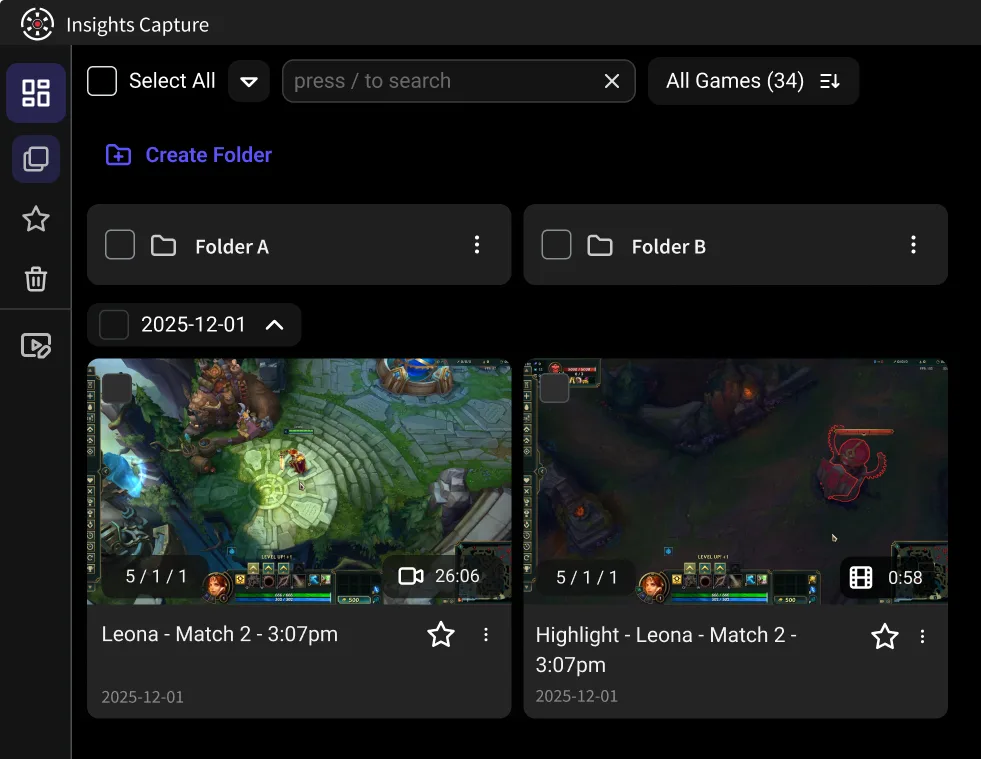
The reliable fix is to record the actual video, not the simulation. Insights Capture records every League game automatically in the background with no FPS loss, and marks kills and objectives on a timeline — so the footage exists as a real video file that will play in five years, on any device, patch-proof.
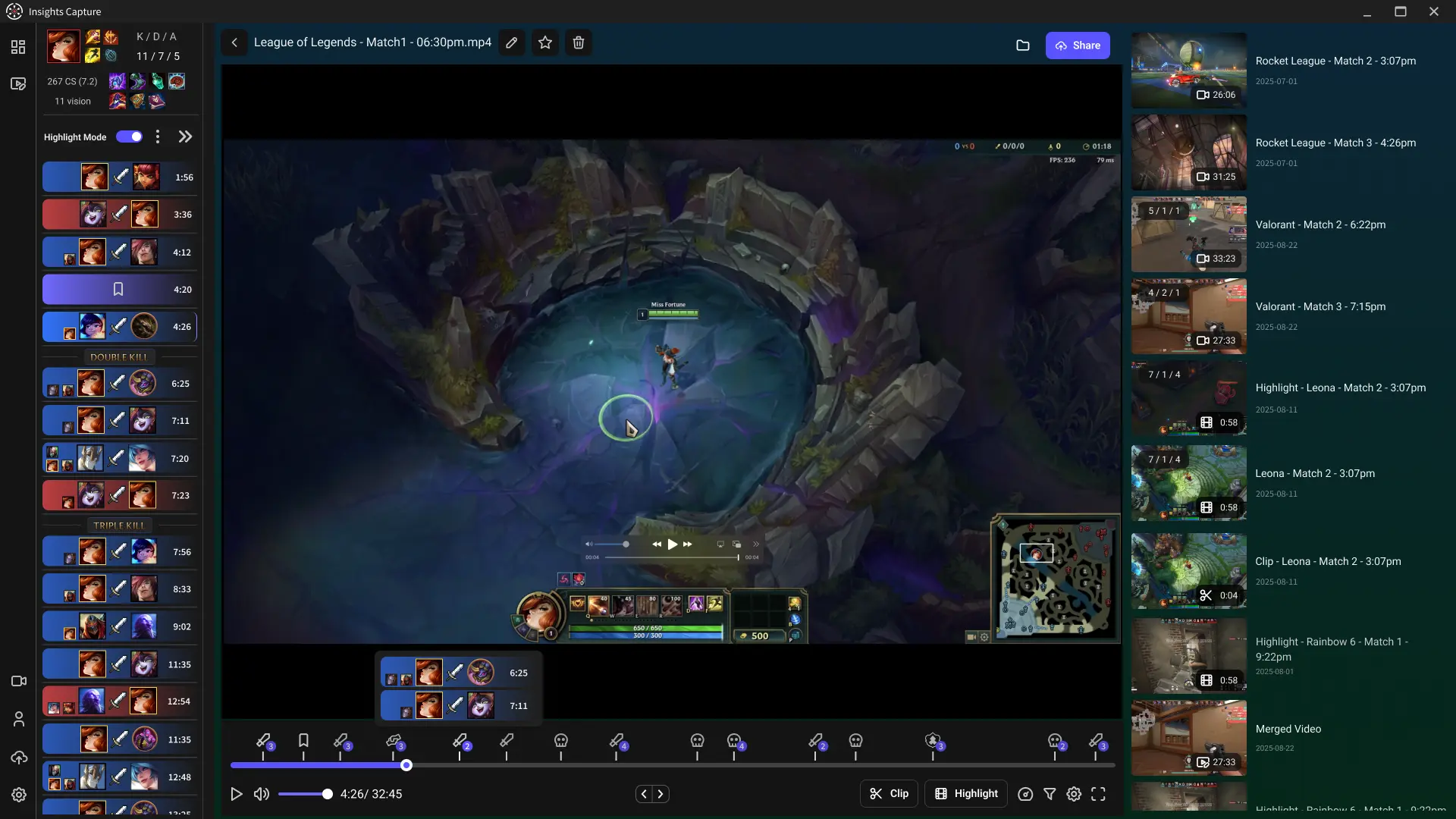
That changes what's possible:
- Pentakills survive. Clip them in two clicks the moment they happen; they're stored in your Insights library permanently.
- Duo and team review works. Share a clip link and your teammates can watch and drop timestamped comments — no client, no patch requirements, no "download my rofl file."
- Every mode counts. ARAM, Arena, customs, scrims — the native system's gaps don't matter when everything is recorded.
{{button}}
The Best Workflow: Both Tools, Different Jobs
Use the native replay while it still works — its free camera and fog-of-war toggle are unbeatable for studying macro, jungle pathing and vision. Use Insights Capture as the permanent layer: the automatic recording you never think about until you need the clip. Review your own play in the VOD review workspace with drawing tools and timestamped notes — the same setup esports coaches use.
If you're tuning your setup first, our guide on what FPS to record at covers the right settings for smooth League footage on any PC.
League is not alone in this. The same patch-expiry trap catches the Overwatch replay system, and the Valorant replay system adds a few restrictions of its own.
FAQs: LoL Replays
1. How do I download a replay in League of Legends?
Open Match History in the client and click the download arrow next to any recent game, then the play button to watch. Files save as .rofl in your Replays folder.
2. Why can't I watch my old LoL replays?
Replays only run on the patch they were recorded on. After each patch (roughly every two weeks), older .rofl files stop working permanently. Recording your games as video is the only patch-proof option.
3. Can I watch someone else's LoL replay?
Not through the client — it only serves your own matches. Third-party sites host some high-elo and pro games, but for teammates the practical route is sharing recorded clips through a tool like Insights.
4. How do I clip a pentakill in LoL?
With Insights Capture running, the kill is already marked on your timeline — open the recording after the game and save the clip in two clicks. No need to have pressed anything during the play.
5. Does recording League replays affect FPS?
Insights Capture is built for low overhead and doesn't cost frames in League, which is a light game to capture. Record at 60 FPS for smooth playback; competitive players sometimes prefer 120.
Final Thoughts
League's replay system gives you a brilliant microscope and then smashes it every two weeks. Keep using it for deep review — but let Insights Capture quietly build the permanent archive underneath. The pentakill you hit tonight should still be watchable when you're Diamond.